What Happens When You Type a URL: The Complete Production Guide

30 milliseconds in your APM. 4 seconds in the browser. The whole gap is before your code runs. A support ticket reports a 4-second page load; the APM dashboard reads 30 milliseconds of application time. The rest is DNS, TCP[1], TLS, CDN cache miss, network transit. The failure mode is always the same: the application is innocent, the network is invisible to the APM, and the only diagnostic that helps is
curl -wwalking every layer.
That pre-code window is where slow-page complaints tend to actually live. The problem isn't the application — it's invisible to the application's APM. Diagnosing it requires walking every layer that fires before the request hits your handler.
A production request traverses DNS (0-50ms), TCP handshake[1] (20ms), TLS (20ms), CDN edge (5ms), and your origin (45ms) — totaling ~160ms from user to first byte. Application time is often under 30% of the total. Use curl timing to isolate which layer is slow; dive deep only after ruling out the network.
- Measure every layer with curl's
-wtiming flags; compare to baseline - DNS:
dig +traceshows the resolution path; set TTL to 300s for production - TLS 1.3 negotiates in 1 RTT instead of 2; saves 20-50ms per new connection
- CDN: cache hits respond in 5-10ms; set
Cache-Controlheaders correctly
The request path in 160ms
The request lifecycle as a sequence — every layer adds latency you can measure with curl -w:
sequenceDiagram
    participant U as User browser
    participant DNS as Resolver chain
    participant CDN as CDN edge
    participant LB as Load balancer
    participant App as Origin app
    Note over U,App: Total budget: ~160 ms first byte
    U->>DNS: lookup api.example.com
    DNS-->>U: IP (50 ms cold, 0-1 ms cached)
    U->>CDN: TCP SYN, SYN-ACK, ACK (20 ms = 1 RTT)
    U->>CDN: TLS 1.3 ClientHello + ServerHello (20 ms = 1 RTT)
    Note over U,CDN: 0-RTT resumption skips this on warm connections
    U->>CDN: HTTP request
    alt Cache HIT
        CDN-->>U: response from edge (5 ms)
    else Cache MISS
        CDN->>LB: forward to origin
        LB->>App: route to pod
        App->>App: handler logic (30-45 ms)
        App-->>LB: response
        LB-->>CDN: response
        CDN-->>U: response (cache + serve, 5-10 ms edge)
    end
Here's the latency budget for a request hitting your origin (no CDN cache):
| Phase | Latency | What's happening |
|---|---|---|
| DNS | ~50ms | OS → ISP resolver → TLD → authoritative nameserver |
| TCP handshake | ~20ms | SYN, SYN-ACK, ACK (1 RTT) |
| TLS negotiation | ~20ms | TLS 1.3 (1 RTT; 2 RTTs for TLS 1.2) |
| CDN edge logic | ~5ms | Routing decision, cache miss detection |
| Your origin | ~45ms | Load balancing + application |
| Network return | ~20ms | Response delivery |
| Total | ~160ms | Only 28% is your application |
The key insight: your 45ms looks like 160ms to users. The other 115ms is infrastructure you don't see in your APM.
graph LR
    Browser["Browser"] -->|"1. DNS Lookup<br/>~15ms"| DNS["DNS Resolver"]
    DNS -->|"2. IP Address"| Browser
    Browser -->|"3. TCP Handshake<br/>~30ms"| Server["Origin Server"]
    Browser -->|"4. TLS Negotiation<br/>~30ms"| Server
    Browser -->|"5. HTTP Request"| CDN["CDN Edge"]
    CDN -->|"cache miss"| LB["Load Balancer"]
    LB -->|"6. Route to app<br/>~45ms"| App["Application"]
    App -->|"7. Response"| LB
    LB --> CDN
    CDN -->|"8. Compressed<br/>response ~20ms"| Browser
Layer 1: DNS — from cache hierarchy to authoritative answer
The browser checks its cache, the OS checks its cache, then queries your ISP's recursive resolver. The resolver walks the DNS hierarchy: root nameserver → TLD nameserver → authoritative nameserver.[2]
## See the full resolution path with timing
dig +trace api.example.com

## Most queries hit resolver cache (skip the full chain)
## New domains run the full chain; repeat lookups cache at TTL
In production: set TTL to 300s (5 minutes). The trade-off: a high TTL means slow failover if you need to change IPs during an incident — a 24-hour TTL locks you in place. During migration, lower TTL 24 hours before, change the record, then raise it back.
## Check current TTL
dig api.example.com | grep -A1 "ANSWER SECTION"

## Verify propagation across resolvers
for r in 1.1.1.1 8.8.8.8 9.9.9.9; do
    dig @$r api.example.com +short
done
See the DNS Records Production Guide for DNSSEC, MX, SRV, and failover patterns.
Layer 2: TCP — three-way handshake and connection reuse
The browser and server exchange SYN, SYN-ACK, ACK to establish the connection. This takes 1 RTT (~20ms). The key production lever: connection reuse.[1]
TCP starts slow—it doubles its sending window (congestion window) every RTT until it detects loss. A 10KB response over a fresh connection might stall 3-4 RTTs because TCP hasn't proven the network can handle full speed yet. But a reused connection has a warm window and skips this penalty entirely.
In production:
- HTTP/1.1 default is
Connection: keep-alive— keep it enabled - HTTP/2 multiplexes hundreds of concurrent requests over a single connection — eliminating the 6-connection-per-domain limit of HTTP/1.1
- Load balancer to origin should maintain persistent connection pools, not open new connections per request
Enable BBR (modern congestion control) on Linux:
sysctl -w net.ipv4.tcp_congestion_control=bbr
# BBR models the network better than CUBIC; 2-25% throughput gain on high-latency paths
Layer 3: TLS — 1-RTT negotiation with 1.3
TLS 1.3 (2018) reduced the handshake from 2 RTTs (TLS 1.2) to 1 RTT. The client sends its Diffie-Hellman key share in the first message; the server responds with its share, certificate, and finished handshake. Both sides derive the session key after 1 round trip (20-50ms), and the client can send HTTP immediately after.[3]
## Check if a server supports TLS 1.3
openssl s_client -connect api.example.com:443 -tls1_3 2>&1 | grep "Protocol"
## Output: TLSv1.3 (good) or TLSv1.2 (upgrade your TLS)

## Measure TLS handshake time
curl -w "TLS: %{time_appconnect}s - TCP: %{time_connect}s\n" \
     -o /dev/null -s https://api.example.com/health
Enable TLS 1.3 in your load balancer or CDN. If your origin still uses TLS 1.2, upgrade it—modern OpenSSL, nginx, and HAProxy all support it. This 20-50ms savings per new connection compounds quickly.
See HTTP Protocol Evolution Guide for TLS versions, ciphers, and OCSP stapling.
Layer 4: CDN — cache-first design with headers
The CDN checks its cache first. Cache hit = 5-10ms response from the edge. Cache miss = origin pull + re-cache.[4]
The lever: Cache-Control headers. These control whether the CDN caches your response and for how long.
// Static assets (images, CSS, JS) — cache for 1 year
w.Header().Set("Cache-Control", "public, max-age=31536000, immutable")

// API responses (product list, user profile) — cache at CDN only, not browser
// s-maxage = CDN TTL; max-age = browser TTL
w.Header().Set("Cache-Control", "public, max-age=60, s-maxage=300")

// User-specific content — never cache at CDN
w.Header().Set("Cache-Control", "private, max-age=300")

// Real-time data (prices, inventory) — never cache
w.Header().Set("Cache-Control", "no-store")

// Serve stale while fetching fresh (hide origin latency)
w.Header().Set("Cache-Control", "public, max-age=60, stale-while-revalidate=3600")
Debug CDN behavior:
## Check cache status and PoP location
curl -I https://api.example.com/products | grep -E "cache|cf-ray|age"
## X-Cache: HIT ← served from edge (5-10ms)
## Age: 45 ← response is 45 seconds old
## CF-Ray: 7abc123-SIN ← Singapore PoP

## Force a cache miss to test origin directly
curl -H "Cache-Control: no-cache" -I https://api.example.com/products
Layer 5: Load balancer and application
The load balancer routes requests to healthy backend instances. Use Layer 7 (HTTP) for web traffic — it can route by URL path, headers, and cookies. Use least connections or round robin for balancing; avoid round robin if requests have variable processing time.
Keep connections to your backend persistent (keepalive 100 in nginx). Health checks should ping a lightweight /health endpoint, not your full request path.
The application itself should:
- Order middleware by cost: put cheap filters (request ID, logging) before expensive ones (auth, rate limiting)
- Respect context cancellation: when the client disconnects, stop processing immediately
- Cache aggressively: use Redis or in-memory caches to avoid database round trips
// Context cancellation in action
func GetProductHandler(w http.ResponseWriter, r *http.Request) {
    ctx := r.Context() // cancelled if client disconnects

    product, err := db.Get(ctx, id)
    if err != nil {
        if errors.Is(err, context.Canceled) {
            return // Client left, stop processing
        }
        http.Error(w, "error", http.StatusInternalServerError)
        return
    }

    w.Header().Set("Cache-Control", "public, max-age=300")
    json.NewEncoder(w).Encode(product)
}
Layer 6: Response path — compression and multiplexing
Compress with Brotli (20% better than gzip) and enable HTTP/2 multiplexing — it sends hundreds of concurrent requests over a single connection instead of opening 6 separate TCP connections per domain (the HTTP/1.1 limit). [5]
## Check if HTTP/2 is active
curl -I --http2 https://api.example.com/products | head -1
## HTTP/2 200 ← active
## HTTP/1.1 200 ← upgrade ALPN config
Enable HTTP/3 (QUIC) at your CDN layer—it tracks packet loss per stream, so a lost packet on one request doesn't stall others. Cloudflare and Fastly have one-click HTTP/3 enablement.
Production checklist — troubleshoot systematically
When someone reports "the site is slow," isolate the layer:
-
Measure with curl:
curl -w "dns:%{time_namelookup} tcp:%{time_connect} tls:%{time_appconnect} wait:%{time_starttransfer} total:%{time_total}\n" \
     -o /dev/null -s https://api.example.com/products
Example:
dns:0.042 tcp:0.062 tls:0.084 wait:0.129 total:0.131- Read as deltas:
tcp - dns = TCP time(0.020s = good),tls - tcp = TLS time(0.022s = good),wait - tls = server time(0.045s = where to look)
- Read as deltas:
-
DNS slow (>100ms)? Run
dig +trace api.example.comand check TTL. Lower TTL to 60s before migrations. -
TCP/TLS slow? Verify TLS 1.3 is enabled:
openssl s_client -connect api.example.com:443 -tls1_3 2>&1 | grep Protocol -
Server slow (wait > 100ms)? Check CDN cache status:
curl -I https://api.example.com/products | grep -i cache. If MISS, origin is the bottleneck—profile with OpenTelemetry. -
CDN cache constantly missing? Review Cache-Control headers. Missing headers = no caching. Set
max-age=300for API responses at minimum.
The real win
Back to the support ticket this article opened with: the user sees seconds, the APM says 45 ms. The curl timing checklist settles it:
dns: 0.041s, tcp: 0.061s, tls: 0.083s, wait: 3.182s
DNS, TCP, TLS were normal. The server processing (wait) was the culprit. An OpenTelemetry trace revealed a database query—normally 45ms—was taking 3,100ms. A statistics reset had left the query planner with stale estimates on a table that grew 20x. ANALYZE products fixed it instantly. [6]
The infrastructure was fine. The problem was entirely in the application. But we couldn't have known that without ruling out the network first.
That's the value here: when something breaks, you know where to look, what tools to use, and what good numbers are at each layer.
HTTP/3 over QUIC — 0-RTT and connection migration
HTTP/3 runs over QUIC instead of TCP, which collapses the transport and TLS handshakes into a single round trip and eliminates head-of-line blocking at the transport layer. On warm connections, QUIC can send 0-RTT data — the client attaches application bytes to the very first flight, so the request lands at the edge before the server has even confirmed the resumption secret. On a cross-continental link with 80ms one-way latency, the difference between TLS 1.3 1-RTT and QUIC 0-RTT is the difference between "first byte at 160ms" and "first byte at 80ms" for repeat visitors.
The other quiet win is connection migration. A TCP connection is keyed on the four-tuple (src IP, src port, dst IP, dst port), so when a phone roams from Wi-Fi to LTE the OS rotates the source IP and every existing TCP connection dies. The browser has to redo DNS, TCP, and TLS — easily a 200ms stall in the middle of a session. QUIC keys the connection on a Connection ID instead (independent of IP and port), so the same logical connection survives an IP change with no handshake retry — the roaming phone skips the full DNS+TCP+TLS re-handshake and its ~200ms stall entirely.
There are sharp edges. 0-RTT data is replayable by definition — an on-path attacker can capture the encrypted bytes and re-send them later — so HTTP/3 servers must reject 0-RTT for any non-idempotent verb. Browsers default to 0-RTT for GET only, but if your CDN config opts everything in, a POST /api/transfer request becomes replayable. Verify what your edge actually allows, and lock down state-changing endpoints:
## Confirm HTTP/3 is being negotiated and inspect the QUIC version
curl -v --http3-only https://api.example.com/products 2>&1 | grep -E "QUIC|HTTP/3|alt-svc"
## Look for: * Connected to ... using HTTP/3
## Look for: alt-svc: h3=":443"; ma=86400 (advertises QUIC for 24h)

## Force a 0-RTT replay test against a known-idempotent endpoint
curl --http3 --tls-max 1.3 --tls13-ciphers TLS_AES_128_GCM_SHA256 \
     -w "first_byte=%{time_starttransfer}s total=%{time_total}s\n" \
     -o /dev/null -s https://api.example.com/health
Set Alt-Svc: h3=":443"; ma=86400 at the edge to advertise QUIC for 24 hours so subsequent visits skip the HTTP/2 fallback handshake entirely.
Browser hints — preconnect, dns-prefetch, preload, prefetch
The browser doesn't have to wait for the HTML parser to discover that it needs cdn.example.com — you can pay the DNS, TCP, and TLS cost in parallel with the initial document download. The four hints, in order of how much work they do:
| Hint | Triggers | Cost saved on first byte to that origin |
|---|---|---|
dns-prefetch | DNS resolution | ~20-50ms |
preconnect | DNS + TCP + TLS | ~60-100ms |
preload | Full request for a known asset | RTT + asset transfer |
prefetch | Low-priority next-page fetch | Whole next navigation |
preconnect is the highest-value-per-byte tag in your <head>. Use it for the 2-3 third-party origins your critical path actually depends on (fonts, analytics, the API origin if it differs from the page origin). Beyond ~4 preconnects you start fighting yourself — every warm connection costs sockets and memory in the browser, and the OS has a hard cap on simultaneous connections per process.
// Server-rendered HTML head with prioritized hints
func renderHead(w http.ResponseWriter, criticalAPI string) {
    fmt.Fprintf(w, `<head>
  <link rel="preconnect" href="https://%s" crossorigin>
  <link rel="preconnect" href="https://fonts.gstatic.com" crossorigin>
  <link rel="dns-prefetch" href="https://analytics.example.com">
  <link rel="preload" href="/fonts/inter.woff2" as="font" type="font/woff2" crossorigin>
  <link rel="preload" href="/critical.css" as="style">
  <link rel="modulepreload" href="/app.mjs">
</head>`, criticalAPI)
}
preload is dangerous if you misuse it — anything you preload competes with the rest of the critical path for bandwidth, so a forgotten <link rel="preload" as="image"> for a hero that was later removed silently steals 200KB from your LCP image. Audit preload usage every release with the Coverage tab in DevTools.
prefetch is the right tool for predicted next-page assets — when the user lands on /products, prefetch /products/1 and /products/2 if your analytics shows >40% of /products sessions click through. Browsers schedule prefetches at idle priority, so they don't fight with the current page's critical resources.
Service workers — cache-first offline behavior
A service worker is a script that intercepts every fetch from your origin before it touches the network. Done right, this turns a ~160ms cold load into a ~3ms cached response — and turns a network outage into a working app. Done wrong, you ship a stuck-cache bug that requires users to clear browser data to recover, which is the worst kind of incident because it's invisible to your monitoring.
The pattern that actually survives production is stale-while-revalidate for the app shell, network-first with timeout for API calls, and cache-only for versioned static assets:
// service-worker.js — production-grade routing
const CACHE_VERSION = 'v2026-04-26';
const SHELL = `shell-${CACHE_VERSION}`;
const RUNTIME = `runtime-${CACHE_VERSION}`;

self.addEventListener('install', (e) => {
  e.waitUntil(
    caches.open(SHELL).then((c) =>
      c.addAll(['/', '/offline.html', '/critical.css', '/app.mjs']),
    ),
  );
  self.skipWaiting();
});

self.addEventListener('activate', (e) => {
  e.waitUntil(
    caches.keys().then((keys) =>
      Promise.all(
        keys.filter((k) => !k.endsWith(CACHE_VERSION)).map((k) => caches.delete(k)),
      ),
    ),
  );
  self.clients.claim();
});

self.addEventListener('fetch', (event) => {
  const url = new URL(event.request.url);

  // API: network-first with 2s timeout, fall back to cache
  if (url.pathname.startsWith('/api/')) {
    event.respondWith(
      Promise.race([
        fetch(event.request).then((r) => {
          const clone = r.clone();
          caches.open(RUNTIME).then((c) => c.put(event.request, clone));
          return r;
        }),
        new Promise((_, reject) => setTimeout(() => reject('timeout'), 2000)),
      ]).catch(() => caches.match(event.request) || caches.match('/offline.html')),
    );
    return;
  }

  // Static shell: cache-first
  event.respondWith(caches.match(event.request).then((c) => c || fetch(event.request)));
});
Three production rules. Always version the cache name (v2026-04-26) and delete old versions in activate — otherwise an old service worker keeps serving stale code forever. Always have an unregister kill switch shipped from day one (a /unregister-sw route that calls navigator.serviceWorker.getRegistrations() and unregisters them all) so you can recover from a bad release without asking users to clear data. Never cache HTML longer than a few seconds — HTML is the entry point for new versions of every other asset, so a stale HTML cache strands users on the previous deploy.
Server-Timing — closing the loop on the request budget
Server-Timing is the one HTTP header that closes the gap between APM and browser waterfall. The server emits a header with named phases and durations; the browser surfaces them in DevTools and PerformanceObserver so the browser-side telemetry can attribute its own waterfall back to specific server-side spans. A 200ms wait becomes "60ms DB, 40ms cache, 80ms render, 20ms middleware" without an OpenTelemetry trace context propagation step.
// Emit Server-Timing for every request — durations in milliseconds
func TimingMiddleware(next http.Handler) http.Handler {
    return http.HandlerFunc(func(w http.ResponseWriter, r *http.Request) {
        start := time.Now()
        timings := []string{}

        ctx := context.WithValue(r.Context(), "timings", &timings)
        recorder := &timedResponseWriter{ResponseWriter: w}

        next.ServeHTTP(recorder, r.WithContext(ctx))

        timings = append(timings, fmt.Sprintf("total;dur=%.1f", float64(time.Since(start).Microseconds())/1000))
        w.Header().Set("Server-Timing", strings.Join(timings, ", "))
    })
}

// Inside a handler, record sub-phases
func ProductHandler(w http.ResponseWriter, r *http.Request) {
    timings := r.Context().Value("timings").(*[]string)

    t := time.Now()
    product, _ := db.Get(r.Context(), "p123")
    *timings = append(*timings, fmt.Sprintf(`db;desc="postgres";dur=%.1f`,
        float64(time.Since(t).Microseconds())/1000))

    t = time.Now()
    json.NewEncoder(w).Encode(product)
    *timings = append(*timings, fmt.Sprintf("render;dur=%.1f",
        float64(time.Since(t).Microseconds())/1000))
}
The header looks like Server-Timing: db;desc="postgres";dur=42.1, render;dur=3.4, total;dur=51.7. Browsers expose these on the PerformanceResourceTiming entry, so a PerformanceObserver on the client can ship them to RUM with the rest of the navigation timing data:
## Inspect Server-Timing for a given endpoint
curl -sI https://api.example.com/products | grep -i server-timing
## Server-Timing: db;dur=42.1, render;dur=3.4, total;dur=51.7

## Correlate with full request budget from the browser side
curl -w "dns:%{time_namelookup} tcp:%{time_connect} tls:%{time_appconnect} ttfb:%{time_starttransfer} total:%{time_total}\n" \
     -H "Accept-Encoding: gzip, br" \
     -o /dev/null -s https://api.example.com/products
Two cautions. Don't put PII in desc= — these headers are visible to any client and will end up in browser telemetry pipelines. And don't use Server-Timing as your primary tracing system — it's a hint for client RUM, not a substitute for distributed tracing. If you have a real OpenTelemetry pipeline, the right pattern is to emit a small handful of high-signal phases (db, cache, render, wait_upstream) and link to the full trace via a separate traceparent header.
Frequently Asked Questions
Why is my website slow even though my server responds in under 50ms?
Application processing is often less than 30% of total page load time. DNS, TCP, TLS, and CDN layers add 50-200ms before your code runs. Use the curl timing technique to isolate which layer has the problem.
How does DNS resolution work?
The browser checks its cache, then the OS cache, then queries a recursive resolver. The resolver walks the DNS hierarchy — root, TLD, authoritative nameservers — and returns an IP. Results cache for the TTL duration.
What is TLS 1.3 and why does it matter?
TLS 1.3 completes the handshake in 1 RTT instead of 2 RTTs in TLS 1.2, saving 20-50ms per new connection. Enable it in your load balancer or CDN config.
How does a CDN reduce latency?
A CDN caches content at geographically distributed edge nodes. On a cache hit, the response comes from the edge in 5-10ms instead of 100-200ms traversing to your origin.
Keep Reading
- DNS Records Production Guide — Record types, TTL tuning, and failover patterns
- TCP vs UDP vs QUIC — Congestion control and head-of-line blocking
- HTTP Protocol Evolution Guide — HTTP/2 multiplexing and HTTP/3 over QUIC
Sources
- 1.Transmission Control Protocol (TCP) — IETF, 2022
- 2.Domain Names — Implementation and Specification — IETF, 1987
- 3.The Transport Layer Security (TLS) Protocol Version 1.3 — IETF, 2018
- 4.HTTP Semantics — IETF, 2022
- 5.HTTP/2 — IETF, 2022
- 6.PostgreSQL Documentation — PostgreSQL Global Development Group, 2026
Engineering Team
An independent engineering publication covering distributed systems, databases, and production infrastructure. Every factual claim is cited to a primary source or removed.
Read Next

TCP vs UDP vs QUIC: Protocol Selection Under Production Load
What head-of-line blocking costs, how QUIC solves it, and how to choose the right transport for real-time and API workloads.
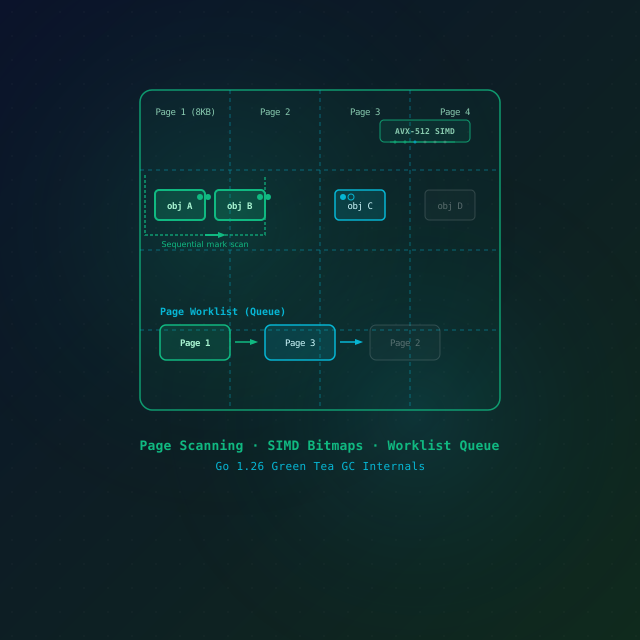
Go 1.26 Green Tea GC in Production: What Changes, How to Measure It, When to Opt Out
Go 1.26 makes the Green Tea garbage collector the default. What actually changed, how to measure GC CPU before and after on your own workload, and the short window you have to opt out.
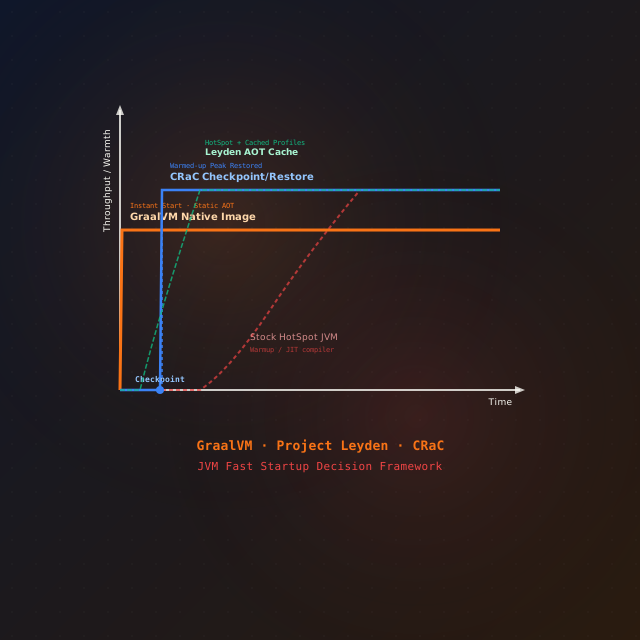
JVM Cold Start in 2026: Leyden vs GraalVM Native Image vs CRaC
Slow JVM cold start breaks scale-to-zero and autoscaling. Three ways to fix it in 2026 — Project Leyden's AOT cache, GraalVM Native Image, and CRaC — with the exact commands, the trade-offs, and a decision framework.